I’ve just spent the past few days pulling my hair out trying to update Adobe AIR on my Mac. I thought maybe uninstalling everything and starting over would help. It didn’t, all that left me with was no Adobe AIR at all. And no Adobe AIR, meant no Seesmic Desktop. I read through the Adobe support stuff which was pretty useless. The error message I keep getting when trying to update Adobe AIR applied to Windows installations according to Adobe.
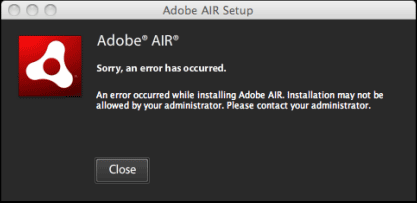
I had the Adobe AIR Uninstaller. I ran it a couple of times. I tried all the suggested command line prompts. I tried everything logged in as the root. Nothing was letting me reinstall Adobe AIR.
So I posted to Twitter and did Google searches. The Google searches took me back to the Adobe Forums. Other people where having the same problem I was having and it looked like this had been going on for a while. One of the posts, “Adobe AIR not installing properly.”, had a great tip, look at the log files!
My log file had something odd in it:
Jul 9 20:27:24 /Volumes/Adobe AIR 1/Adobe AIR Installer.app/Contents/MacOS/Adobe AIR Installer[1088]: error during install: [ErrorEvent type=”error” bubbles=false cancelable=false eventPhase=2 text=”Unhandled exception Error: Could not create directory /Applications/Adobe/Flash Player/AddIns/airappinstaller” errorID=3010]
Why on earth could it not create the directory? So I took a peek in the Application folder and there was an old text file called Adobe. I renamed the text file and ran the Adobe AIR installer. I was pleasantly surprised when it announced it had completed the install. As soon as I was successful, I went back to the forums to post my solution. I figured it was the right thing to do since I posted my issue as a reply to a few other threads.
Now I’m a happy camper with Seesmic Desktop running again!
ps…I tried the Seesmic Desktop 2 Preview. It’s nice, but does have all the bells & whistles yet. On the plus side is didn’t need Adobe AIR.